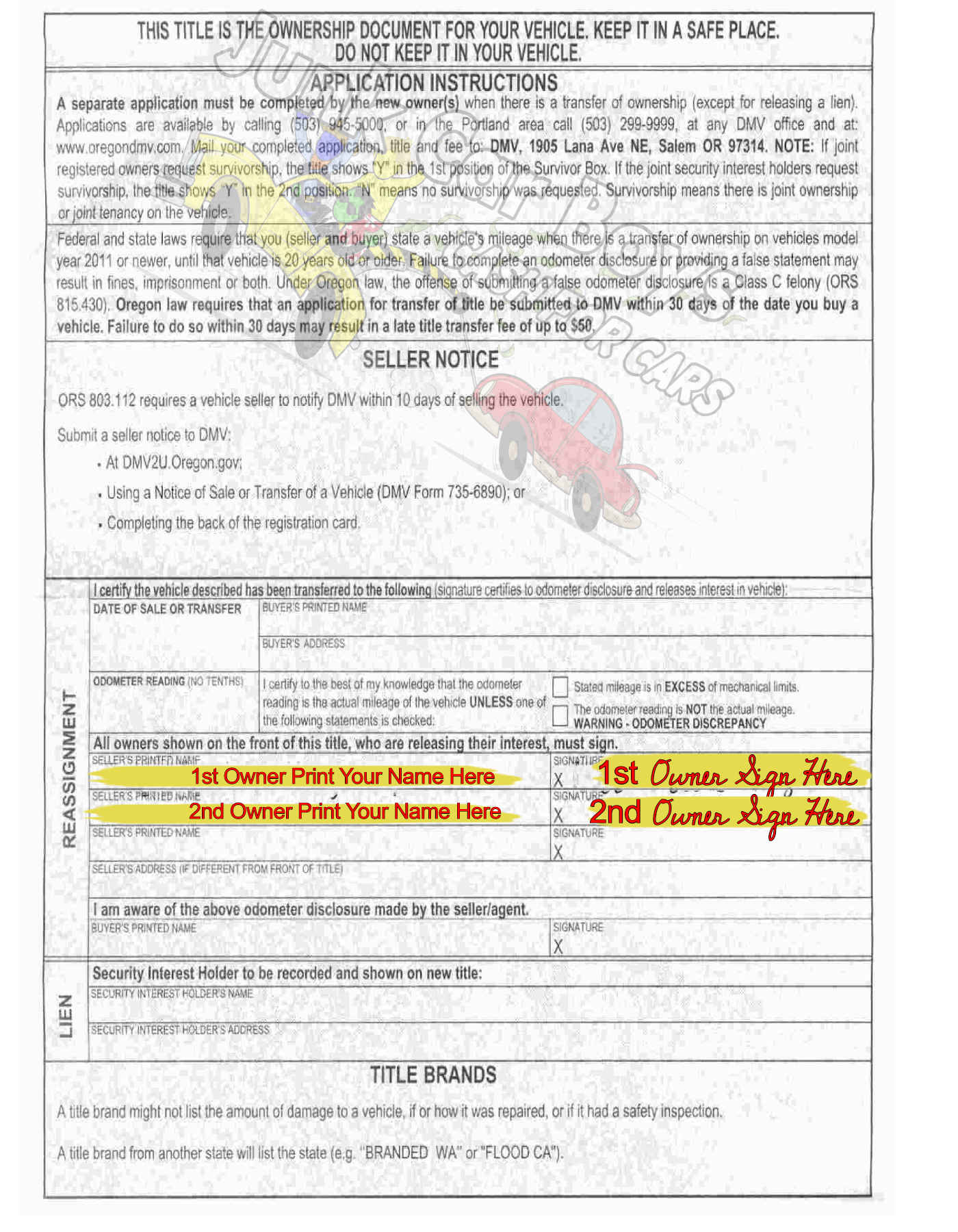
1. How to Sign Your Title in Oregon
- Use blue or black ink only.
-
Sign your name exactly the way it appears on the front of the title.
-
If the title says “John A. Smith”, you sign “John A. Smith”, not “John Smith” or “J. Smith”.
-
If you are still not sure where to sign, stop and text or call us first.
2. How to RUIN (VOID) Your Title – DO NOT DO THESE
Any of the following can void your title and delay pickup and payment:
- Signing in the wrong section
- Signature that doesn't match your driver's license
- Erasing, scratching out, or crossing out anything
- Using white-out
- Rips or tears on the title
- Tracing over, heavy mark-outs, or scribbles
- Using pencil, marker, or colored ink (only blue or black pen is allowed)
-
Erasing, scratching out, or crossing out anything
3. Where Do I Sign on an Oregon Title?
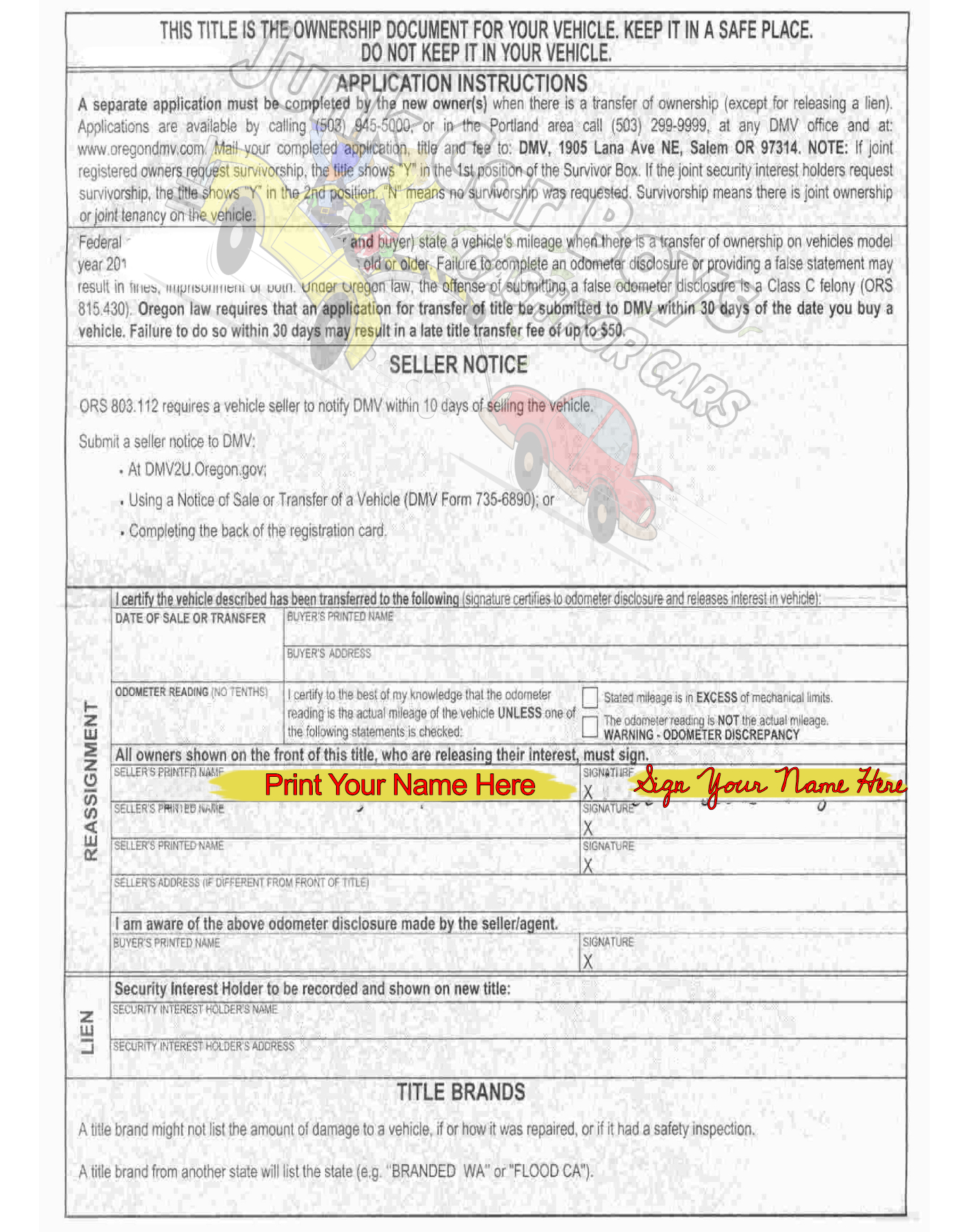
- Back of the title bottom half - print name(s) in the box where it reads "Seller's Printed Name."
- Back of the title right next to where you printed name(s) - sign name(s) in the box where it reads "Signature."
Refer to the images below. If your title has more than one owner on it, all owners must sign the title for it to be valid. See images below for examples.
4. After You Sign Your Title
- Take a clear picture of the front and back of the signed title.
- Send it to us one of these ways:
Text: Text the picture of the signed title back to the same number that sent you the link.
OR
Email: Send the picture to: dispatch@junkcarboys.com
NOTES
Lien or Bank Name on Title
If your Oregon title shows a lien or a bank name printed on the front, then your title will need to be signed off by the lien holder or have a separate lien release letter.
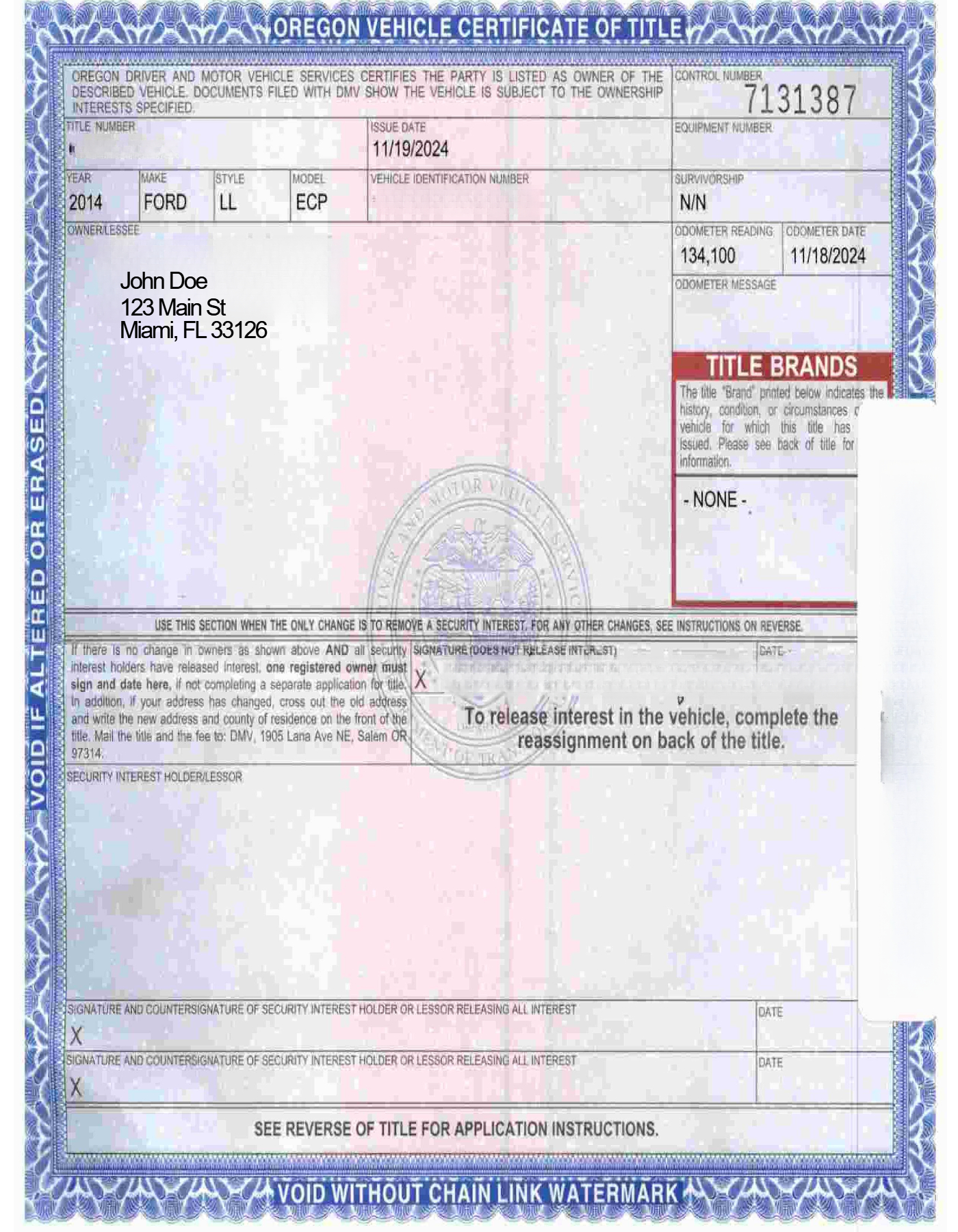
Front of Oregon Title
(Nowhere needs to be signed)
Back of Oregon Title
(Follow this if you're the only owner)
Back of Oregon Title
(Follow this if there is more than 1 owner on Title)